

180+ destinations · one eSIM
Forget hunting for a SIM card at the airport. With Arivia Sim, you get mobile data before you even leave home. The whole process takes less than 5 minutes — and your phone does the rest.
Browse our destinations and pick the data plan that fits your trip. Travelling for a week? A month? Need lots of data or just the basics? We've got a plan for every type of traveler.
Pay securely in a few clicks. No account needed, no paperwork, no waiting in line. Your order is confirmed instantly.
Within minutes, you'll receive your eSIM QR code directly in your inbox. Keep it handy — you'll need it for activation.
Go to your phone settings, select "Add eSIM" and scan the QR code. Your eSIM is installed in seconds. You can do this at home, at the airport — wherever you are.
When you land, your eSIM activates automatically on the local network. No fiddling with settings. Open your browser and you're online. Just like that.
Follow these 3 steps in the Settings app on your iPhone:
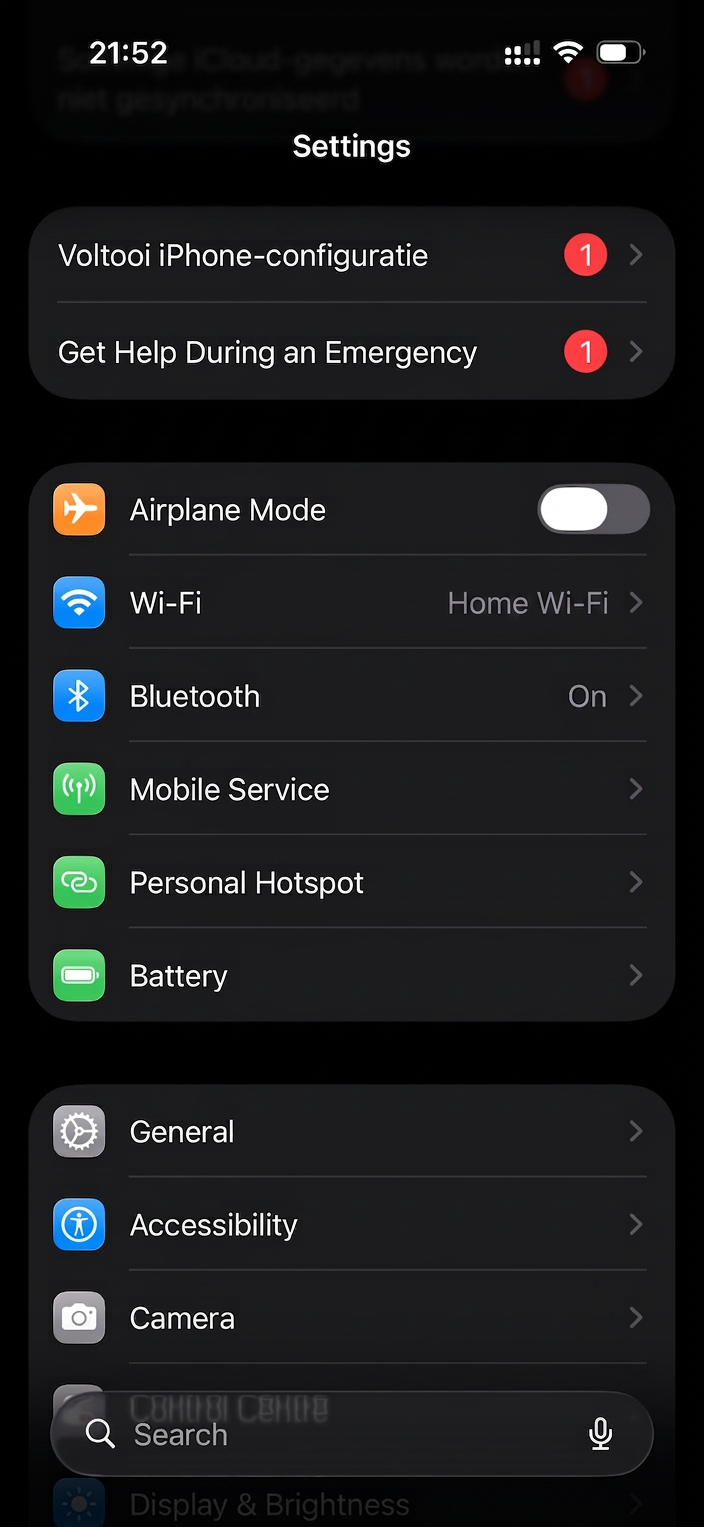
Open the Settings app and tap "Mobile Service".
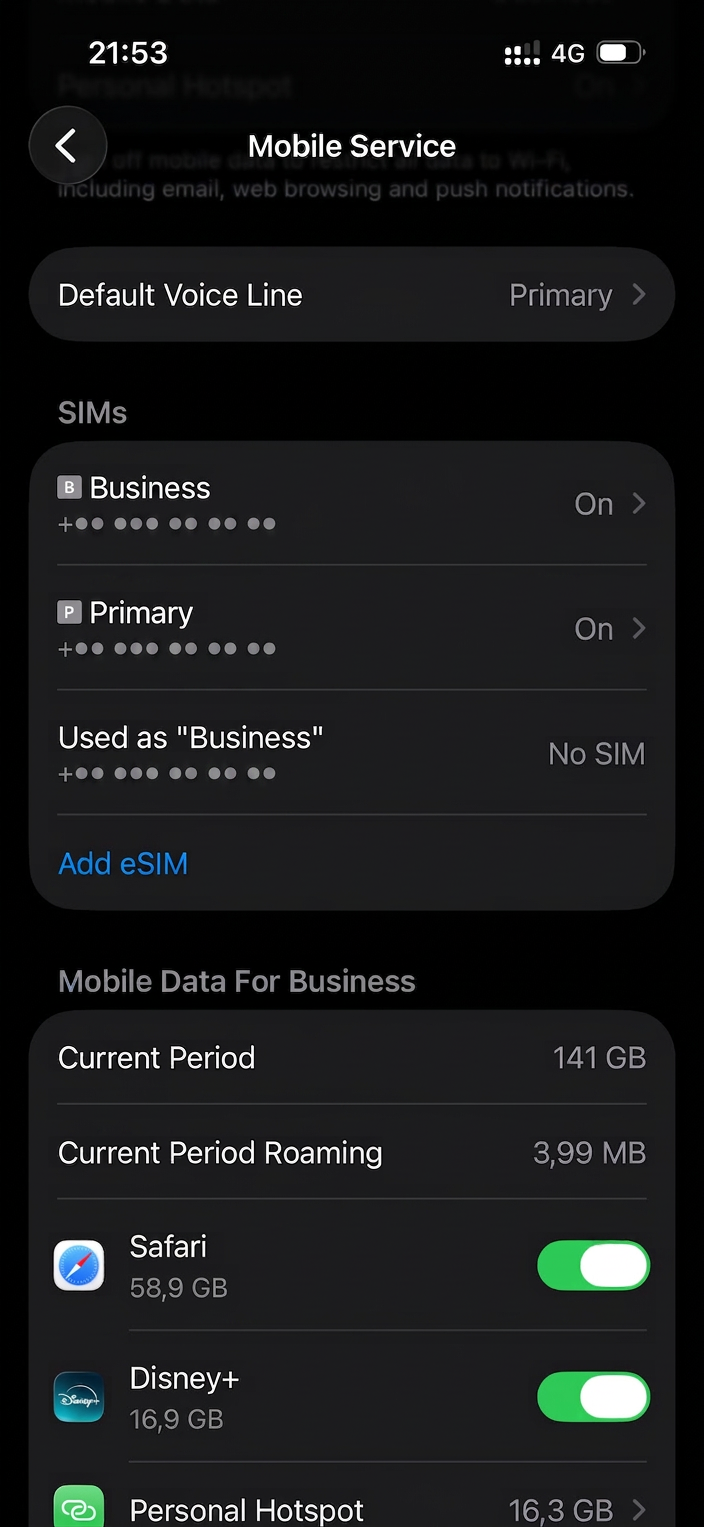
At the bottom of your SIMs list you'll find the option to add a new eSIM.
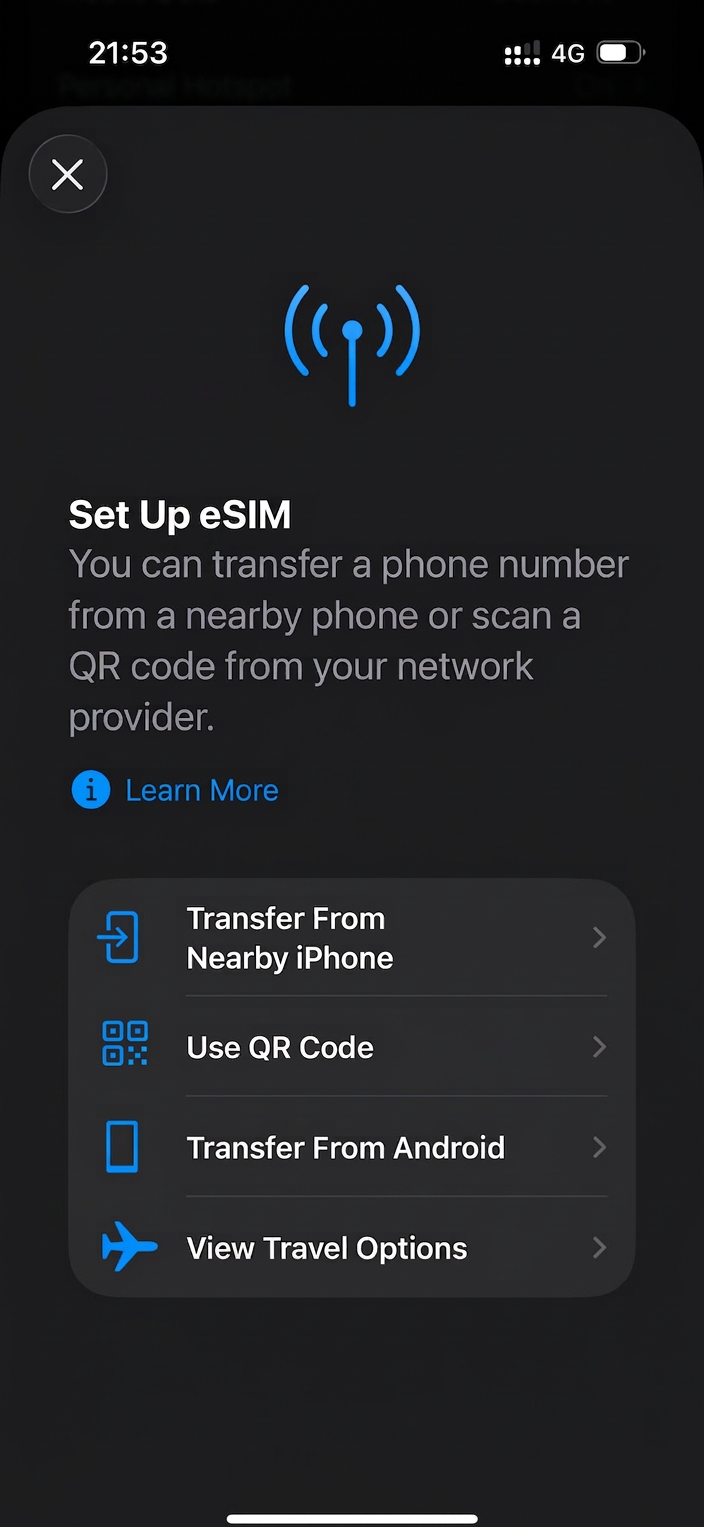
Choose "Use QR Code" and scan the code from your confirmation email. Done!
Arivia Sim works on all eSIM-compatible smartphones, including:
Check your device settings under Mobile Data → Add eSIM, or contact our support team and we'll check for you.
Your next trip starts here. Pick your destination, grab your eSIM and go — no roaming bills, no SIM card stress.