
How much data do you need when traveling? (Realistic Guide 2026)
How much data do you need when traveling? Consumption tables per application, estimates per type of stay, and tips for choosing the right eSIM plan without overpaying.
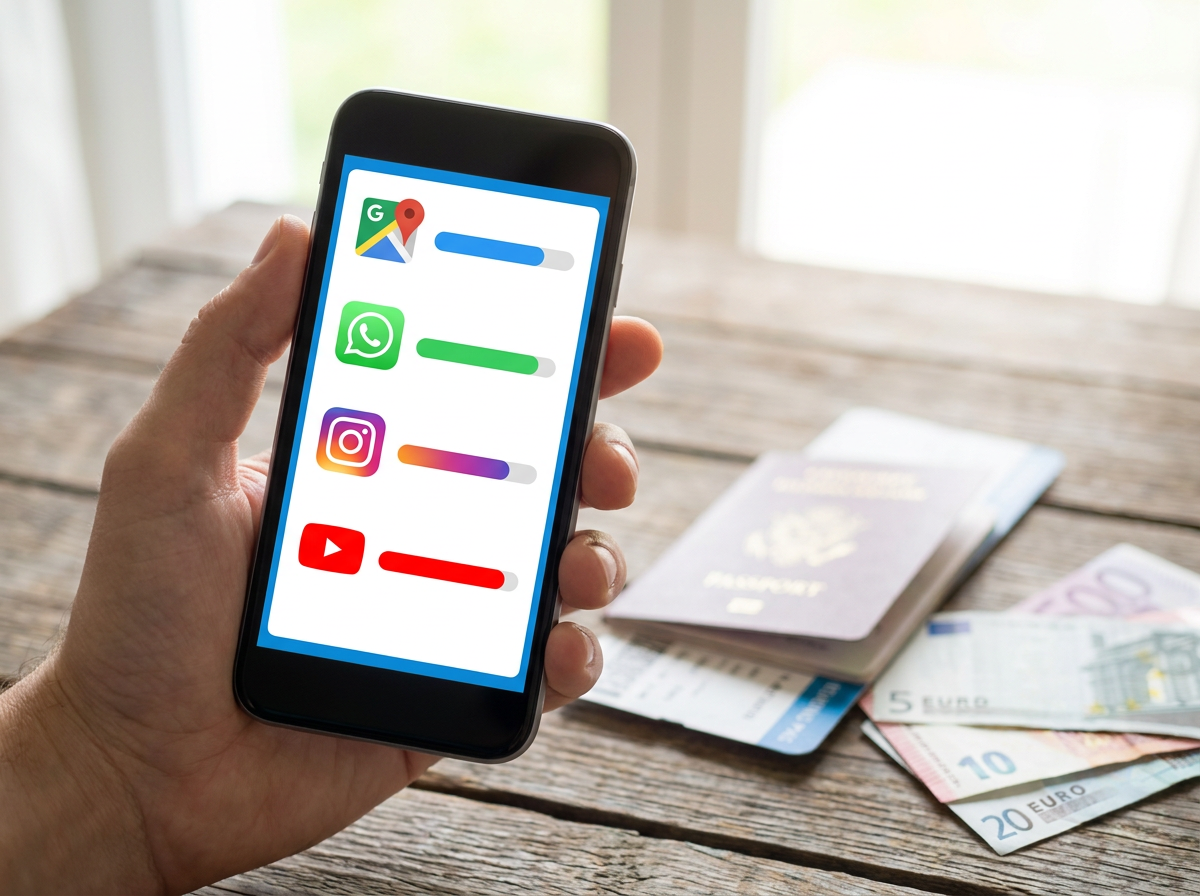
It's one of the most practical questions we ask ourselves before traveling—and paradoxically one of the least prepared. How many gigabytes do you really need to plan for a week in Bangkok, ten days in New York, or a city break in Seville?
Most people make one of two mistakes: they choose a plan that's too small and find themselves without a connection at the least opportune moment, or they take an astronomical amount of data "just in case" and don't use it. In both cases, we don't really take the time to calculate—we estimate by instinct.
This guide changes that. We give you real consumption figures per application, estimates per type of trip, and concrete recommendations for choosing the right eSIM plan based on your habits.
Why data consumption when traveling is different from at home
At home, you're connected to Wi-Fi most of the time. On your couch, in the kitchen, at the office—mobile data is only used for short trips. When traveling, it's the opposite: your phone is constantly on mobile data, from the airport to the hotel, and through every restaurant, museum, and taxi.
Four reasons why you consume more data when traveling:
1. GPS navigation is constant. You're in an unfamiliar city. You open Google Maps to go to your hotel, then to the evening restaurant, then to the museum, then to the bar recommended by your guide. Each journey consumes data.
2. You look up everything online. Opening hours, restaurant reviews, public transport, weather, currency conversion—dozens of searches a day that you wouldn't do in Brussels because you already know your habits.
3. You share more. Photos on Instagram, videos on WhatsApp to your loved ones, live stories—all of this happens in real-time and consumes data.
4. Apps run in the background. Photo syncing on iCloud or Google Photos, email updates, social media notifications—your phone consumes data even when you're not actively using it.
Real consumption per application: the numbers
Here are the average data consumption rates for the most used apps when traveling.
Communication apps
| Application | Usage | Estimated Consumption |
|---|---|---|
| WhatsApp text messages | Full day | < 5 MB |
| WhatsApp voice messages | Per recorded minute | ~0.5 MB |
| WhatsApp photo sent | Per photo | 1–3 MB |
| WhatsApp video sent (30 sec) | Per video | 10–25 MB |
| WhatsApp audio call | Per minute | ~0.5–1 MB |
| WhatsApp video call | Per minute | 5–8 MB |
| iMessage / Internet SMS | Full day | < 2 MB |
Navigation and transport
| Application | Usage | Estimated Consumption |
|---|---|---|
| Google Maps (active navigation) | Per hour | 30–60 MB |
| Google Maps (offline map) | None | 0 MB |
| Waze (navigation) | Per hour | 30–50 MB |
| Uber / Bolt / Grab | Per ride | 1–5 MB |
| Occasional address search | Per search | < 1 MB |
Social networks and media
| Application | Usage | Estimated Consumption |
|---|---|---|
| Instagram (30 min scroll) | Session | 100–200 MB |
| TikTok (30 min) | Session | 200–400 MB |
| YouTube SD (480p) | Per hour | 300–500 MB |
| YouTube HD (720p) | Per hour | 700 MB – 1.5 GB |
| YouTube Full HD (1080p) | Per hour | 1.5–2.5 GB |
| Netflix SD | Per hour | 300 MB |
| Netflix HD | Per hour | 1–3 GB |
| Spotify (normal quality) | Per hour | 40–80 MB |
Professional and daily use
| Application | Usage | Estimated Consumption |
|---|---|---|
| Emails (no attachments) | 50 emails | < 5 MB |
| Email with attachment (PDF) | Per email | 1–5 MB |
| Google Translate (text) | Occasional use | < 1 MB |
| General web search | Per hour | 30–100 MB |
| Teams / Zoom (video call) | Per hour | 300–600 MB |
| App update download | Per update | 50 MB – 1 GB |
Estimation by type of stay
Combining this data, here are realistic estimates for different types of trips.
3-4 day City Break (moderate use)
Profile: Tourist who uses Maps to get around, WhatsApp to communicate with family, a few web searches, and shared photos. Limited streaming to hotel Wi-Fi.
| Usage | Per day | Total 3 days |
|---|---|---|
| Google Maps | 40 MB | 120 MB |
| WhatsApp messages + photos | 30 MB | 90 MB |
| Instagram / social media | 80 MB | 240 MB |
| Web searches | 40 MB | 120 MB |
| Transport apps | 10 MB | 30 MB |
| Estimated Total | ~200 MB | ~600 MB |
Recommended plan: 1–2 GB (with safety margin)
One week vacation outside the EU (normal use)
Profile: Traveler who regularly navigates in the city, checks social media several times a day, shares photos, makes WhatsApp calls, and uses Maps continuously.
| Usage | Per day | Total 7 days |
|---|---|---|
| Google Maps (sustained navigation) | 60 MB | 420 MB |
| WhatsApp (messages, photos, 1 audio call) | 60 MB | 420 MB |
| Instagram + social media | 150 MB | 1.05 GB |
| Web searches + translation | 60 MB | 420 MB |
| Transport / restaurant apps | 20 MB | 140 MB |
| Background (sync, emails) | 50 MB | 350 MB |
| Estimated Total | ~400 MB | ~2.8 GB |
Recommended plan: 4–5 GB (comfort margin included)
Two weeks of active travel (intensive use)
Profile: Traveler who documents their trip, makes regular video calls, uses the phone as the primary navigation and organization tool.
| Usage | Per day | Total 14 days |
|---|---|---|
| Sustained Google Maps | 70 MB | 980 MB |
| WhatsApp (including 1 video call/day) | 120 MB | 1.68 GB |
| Instagram / content publishing | 200 MB | 2.8 GB |
| Searches, translations, reservations | 80 MB | 1.12 GB |
| Music streaming (Spotify) | 60 MB | 840 MB |
| Background and sync | 60 MB | 840 MB |
| Estimated Total | ~590 MB | ~8.3 GB |
Recommended plan: 10 GB
5-day Business Trip
Profile: Professional with online meetings, intensive email management, shared documents, navigation to business addresses.
| Usage | Per day | Total 5 days |
|---|---|---|
| Teams/Zoom meeting (2h) | 600 MB | 3 GB |
| Emails with attachments | 50 MB | 250 MB |
| Google Maps | 40 MB | 200 MB |
| Pro searches + documents | 80 MB | 400 MB |
| Professional WhatsApp | 40 MB | 200 MB |
| Estimated Total | ~810 MB | ~4 GB |
Recommended plan: 6–8 GB (video meetings consume data quickly)
Family vacation (2 adults + 2 children) 10 days
Profile: Intensive navigation, music streaming for children on the go, real-time photo sharing, collective organization (restaurants, activities).
| Usage | Per day | Total 10 days |
|---|---|---|
| Google Maps (multi-trips) | 80 MB | 800 MB |
| WhatsApp extended family | 80 MB | 800 MB |
| Social networks | 200 MB | 2 GB |
| Spotify / YouTube for children | 150 MB | 1.5 GB |
| Searches and reservations | 80 MB | 800 MB |
| Background (4 devices) | 100 MB | 1 GB |
| Estimated Total | ~690 MB | ~6.9 GB |
Recommended plan: 10 GB
Pitfalls that explode your consumption
Video streaming without Wi-Fi
Watching just one hour of YouTube in HD quality consumes between 700 MB and 1.5 GB. If you watch videos during taxi rides, hotel evenings, or while waiting in line, your plan will melt away in a few days.
Solution: Download your series or playlists via Wi-Fi before departure (Netflix, Spotify allow offline downloads). Reserve live streaming for Wi-Fi connections.
Automatic updates
An iOS or Android update can weigh several gigabytes. A game or app update too. If your phone is configured for automatic updates, they can trigger during your trip on mobile data.
Solution: Before you leave, go to the App Store or Play Store settings and enable "Wi-Fi updates only." Perform all pending updates from your home Wi-Fi.
Automatic photo backup
iCloud, Google Photos, and Samsung Gallery can back up your photos in real-time over mobile data. An afternoon of photos can easily represent 500 MB to 1 GB.
Solution: Disable automatic backup over mobile data in your photo app settings. Perform backups in the evening, via Wi-Fi in your accommodation.
How to track your consumption in real-time
On iPhone
Settings > Cellular > Scroll down to see consumption by app. For precise tracking since the beginning of the trip, go to the bottom of the page and tap "Reset Statistics" on the day of departure.
On Android (Samsung)
Settings > Connections > Data usage > Mobile data. You can set a warning at a given threshold (e.g., at 3 GB) and a maximum limit.
On Android (Google Pixel)
Settings > Network & internet > Data usage. Identical—set a measurement cycle corresponding to your travel period.
Choosing the right eSIM plan: quick guide
| Trip Duration | Usage | Recommended Plan |
|---|---|---|
| City break 2–4 days | Moderate (maps, messages) | 1–2 GB |
| Week outside EU | Normal | 4–5 GB |
| Week outside EU | Intensive (social media, video calls) | 7–10 GB |
| 2 weeks | Normal | 7–10 GB |
| 2 weeks | Intensive | 10–15 GB |
| Business trip 5 days | With video meetings | 6–8 GB |
| Family 10 days | Multiple devices | 10 GB |
Tip: Always allow a slight margin compared to your estimate. An extra GB costs little; one less GB when you need it can be very detrimental.
Frequently Asked Questions
How many GB do you need for a week's vacation? For normal tourist use (maps, WhatsApp, social media without intensive streaming), 4 to 5 GB are comfortably sufficient for 7 days outside the EU.
Does WhatsApp consume a lot of data? Text messages: almost nothing. Photos and videos: a few MB per exchange. Video calls: 5 to 8 MB per minute. For a normal day with a few shared photos and a call, count 50 to 80 MB.
Does Google Maps consume a lot? About 30 to 60 MB per hour of active navigation. To limit consumption, download offline maps of your destination before leaving.
Does Netflix or YouTube streaming really consume that much? Yes. One hour of Netflix in HD represents 1 to 3 GB. Avoid streaming on mobile data—download your content via Wi-Fi.
What happens if I reach my eSIM plan limit? Most Arivia eSIMs reduce speed to 2G rather than charging for additional data. You remain connected, but slower.
Do background apps really consume data? Yes, and often more than you think—especially cloud photo syncing and automatic updates. Disable these features on mobile data before you leave.
Conclusion: calculate before you go, travel with peace of mind
Estimating your data consumption is not rocket science. A few minutes of thought before departure—what type of usage, what duration, what destination—are enough to choose the right eSIM plan.
The simple rule: for a normal week outside the EU, aim for 5 GB. For intensive use or a longer trip, opt for 10 GB. And disable automatic updates and cloud backup over mobile data before packing your suitcase.
Choose the Arivia eSIM plan that suits your usage and travel without fearing running out of connection.